Intro to Git (part 1)

Tracking changes in a project

Tracking changes to files

Sample Project

Idea 1) Project Snapshots

Saving versions as Snapshots

  • A “version” is a set of changes.

  • Saving full snapshots of the project rather than just tracking the individual changes.

  • Snapshots have to be “efficient” (we’ll clarify this later)

  • Storage model is based on a Directed Acyclic Graph of Snapshots

Idea 2) A Graph Model

Graph: mathematical structure consisting of Nodes (or vertices) connected by Edges (or lines).

Graph: mathematical structure consisting of Nodes (or vertices) connected by Edges (or lines).

Graph: mathematical structure consisting of Nodes (or vertices) connected by Edges (or lines).

Directed Acyclic Graphs (DAG)

  • Directed: The edges have a specific direction, represented by arrows.

  • Acyclic: Contains no cycles. You cannot start at any node and follow a path back to the same node.

  • Common use cases: They are used for showing one-way workflows, data processing pipelines, chronological or causal flows, dependencies, and scheduling.

DAG mental model

DAG mental model

git

  • Free and open-source command line tool


  • Developed to help coordinate collaborative coding


  • 99% of software projects use it


  • Many scientific projects use it

What does it do?

git allows you to:

  • save your work,
  • document your process,
  • try new ideas/experiments,
  • share it and,
  • collaborate with others.

Git commands to get started

Each command is called from the command line following git (e.g. git init).

  • init: initialize a repository (repo)
  • add: move a file into the staging area
  • commit: take a snapshot of files in the staging area with a message (-m)
  • push: send commits to another repo

  • init: invite the photographer (git) to the wedding (repo)
  • add: move the bride and groom into the camera frame
  • commit: take a picture of the bride and groom and caption it
  • push: share the photos online

  • init: invite the photographer (git) to the wedding (repo)
  • add: move the bride and groom into the camera frame
  • commit: take a picture of the bride and groom and caption it
  • push: share the photos online
mkdir wedding
cd wedding
git init
git add bride groom
git commit -m "cutting the cake"
git push

git init

Initializing a repository

Initializing a repository

  • git init initializes a git (local) repository
  • Creates a directory .git/
  • .git/ is a hidden folder containing git’s database
  • This is where git does its magic
  • Don’t touch this folder! (let git do its job)
  • Once a repo is initialized, git will track changes to its content

Primary Commands

Primary git commands

  • git status: what’s going on with repo

  • git add: stage changes (framing photo)

  • git commit -m "...": record changes in git’s database (take a snapshot)

Elements of a Commit

A commit consists of:

  • author’s name and email (who)
  • timestamp (when)
  • message (what / why)
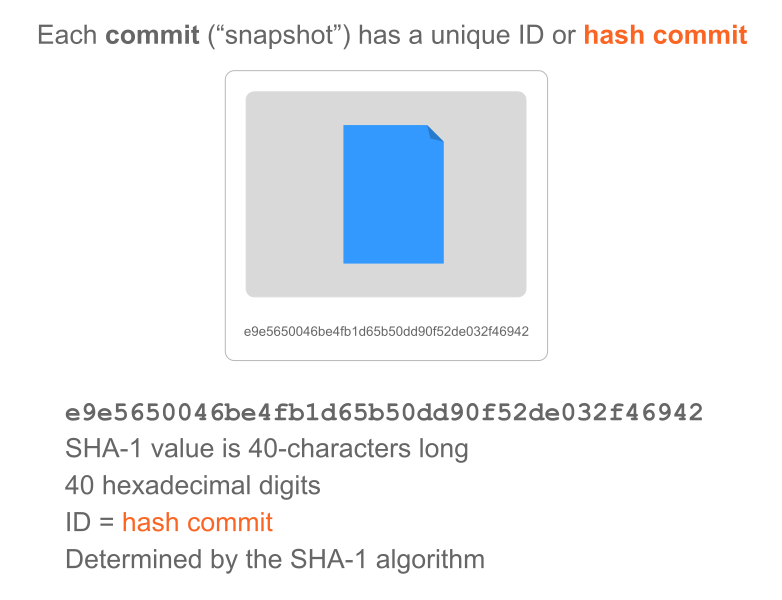
  • Hash ID (fingerprint)
  • Parent pointer (who’s the parent commit)
  • File Snapshot

Commit Messages

  • Short message: < 50 characters

  • Longer descriptions

  • Examples:

    • Bug fix
    • Feature
    • Experiment
    • Merge
  • What happened, and possibly why something happened

The Full Picture

What about git’s DAG model?

  • There’s one root commit (initial commit)

  • Arrows always point backward in time (from the child commit to its parent)

  • Why? Because a parent commit cannot know its future children, but a child commit always knows exactly who its parent was.

  • There are no loops or cycles (a child node cannot be the parent of its parent, or the ancestor of its ancestors)

  • Each commit has a HASH id (and other metadata)

  • There are moving pointers (or labels) such as:

    • HEAD: “You are here” bookmark
    • main: name of default branch

Keeping track of changes

Key Ideas

Key Ideas

How does git keep track of changes?


Git records the changes made on a project’s files (not their versions)